Agricultural Drone Instruction Manual
Remote Controller Frequency Pairing
Version 1.0

1. Switch on the remote control and launch the Huida Drone App.
2. Install the smart battery in the drone and switch the drone on.
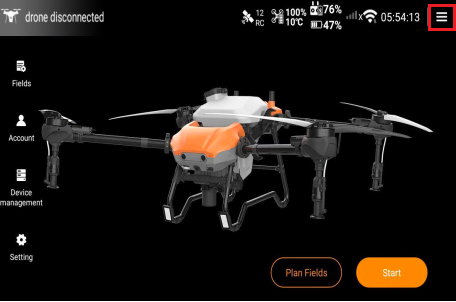
3. Tap the Settings button in the upper right corner of the Huida Drone App interface.
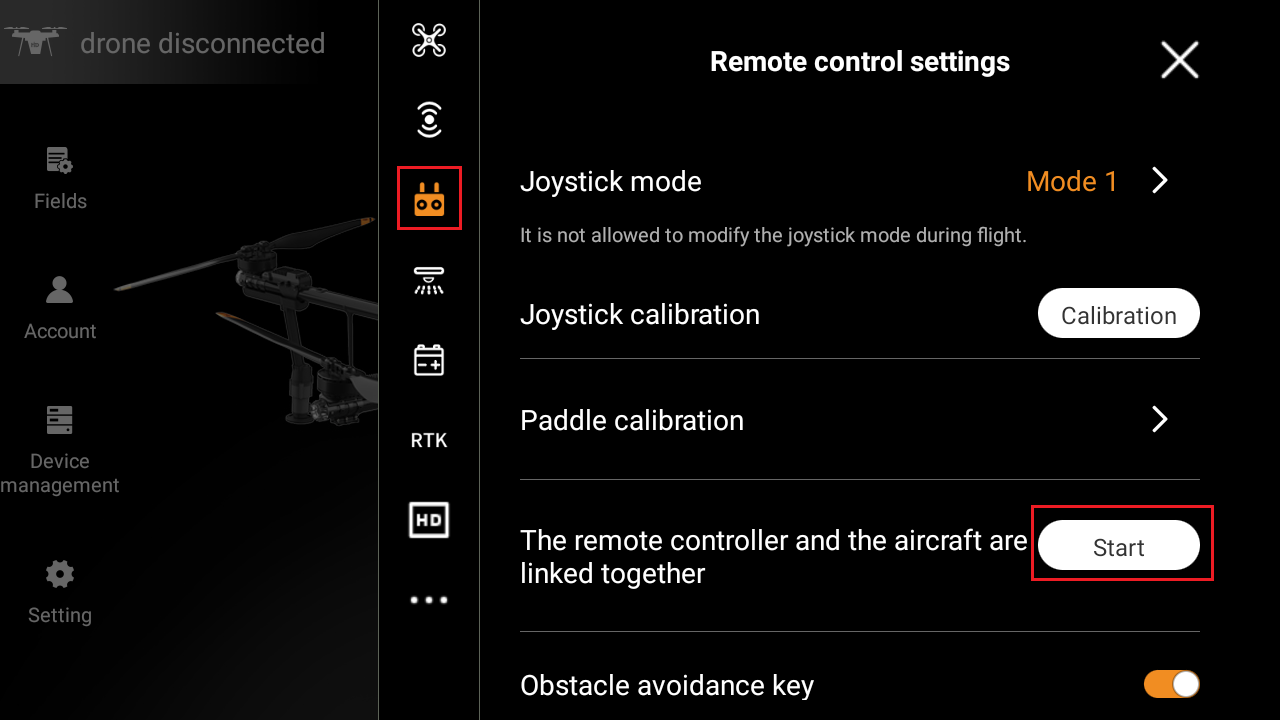
4. Tap the Function button of the remote control in the Huida Drone App.
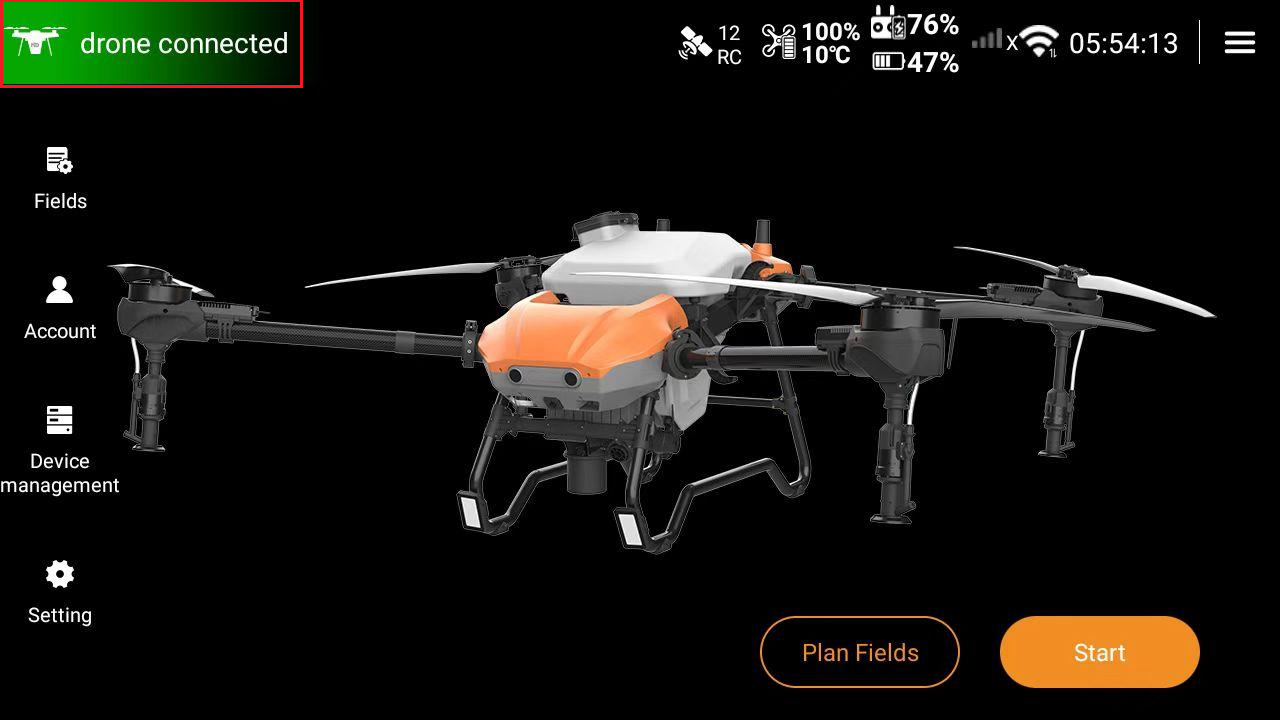
5. Locate the frequency pairing function for the drone and remote control, and tap "Start".
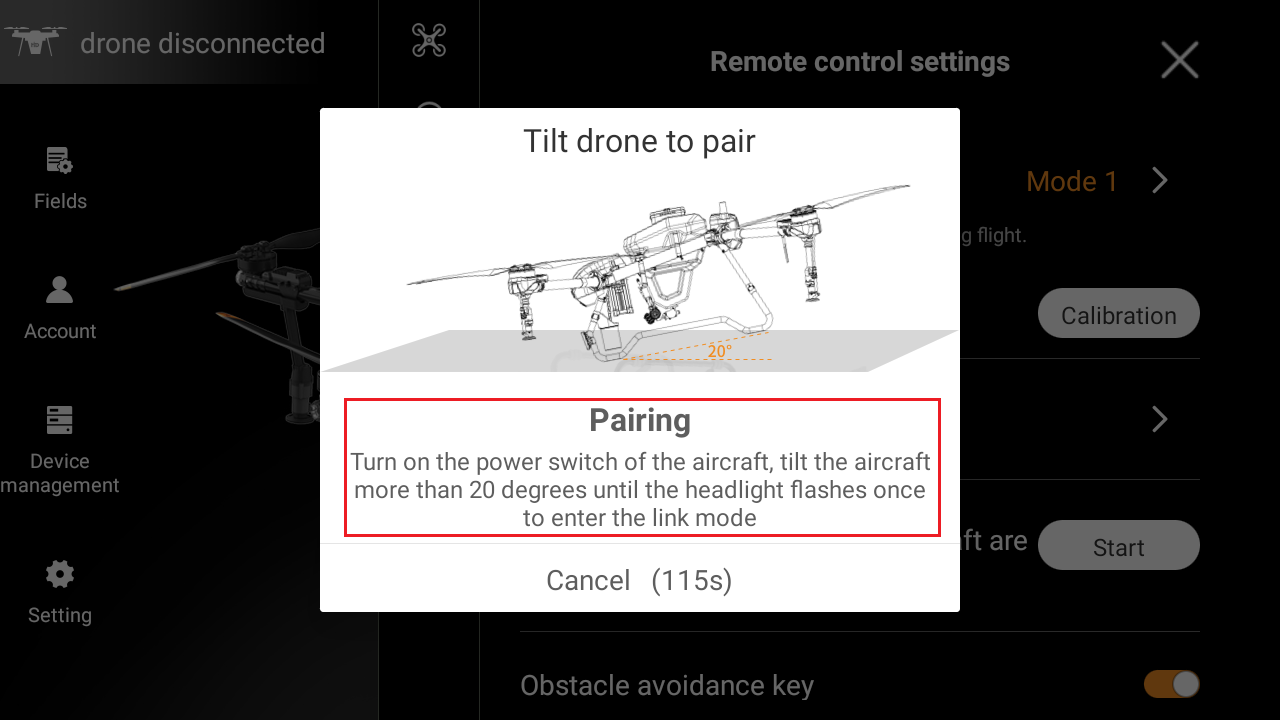
6. Then tilt the drone by lifting its tail until the body exceeds a 20-degree angle. Hold this position until the navigation lights blink, indicating entry into frequency pairing mode.
7. Continue holding the position until the drone prompts "frequency pairing successful", completing the connection. Then return to the Huida Drone App interface. The remote control will display "drone connected" in the upper left corner, and the aircraft icon will turn green.