Agricultural Drone Instruction Manual
Flow calibration
Version 1.0

When using drones for spraying for the first time, please calibrate the flow rate first to avoid inaccurate dosage per acre caused by inaccurate flow rate.
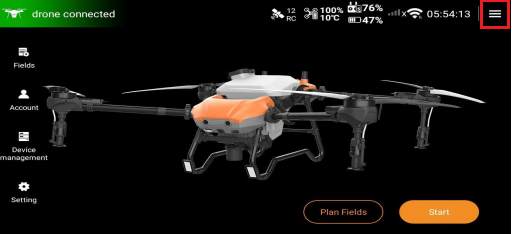
1. Enter the home page of Huida Drone APP, click the hamburger menu in the upper right corner to enter the next level.
2. Find the "Spray Settings" interface, click the "Calibration" function option next to "Flowmeter calibration" to enter the calibration interface.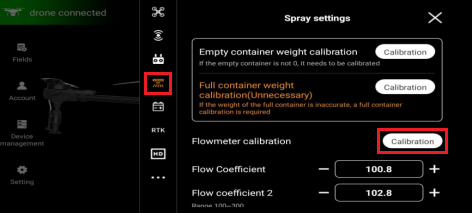
3. Before calibration, please add more than 20L of water to the agrochemical container.
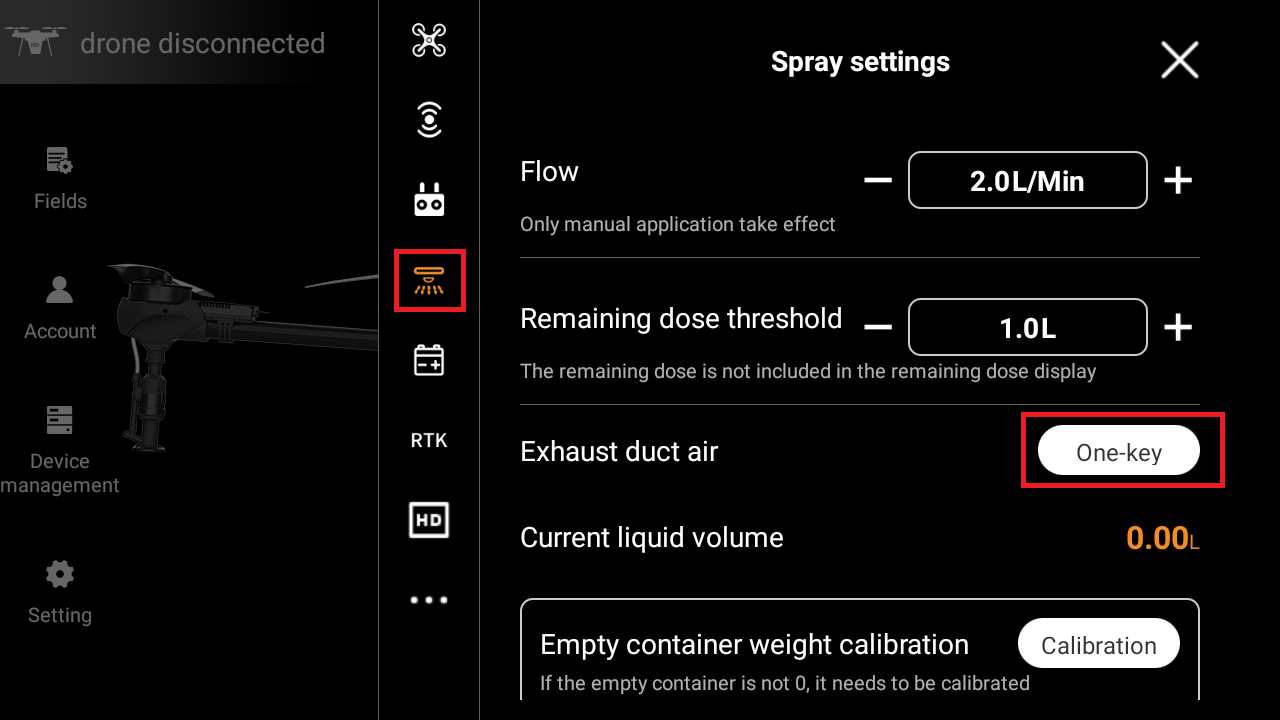
Before calibration, manual exhaust or click the "One-key" to the right of "Exhaust duct air" in the spray settings to ensure that the air in the pipeline has been vented
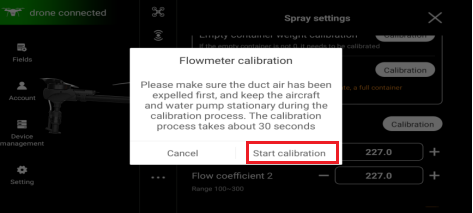
4. Click "Start calibration" function option to open the calibration progress pop-up window. At this time, the electromagnetic valve body of a single centrifugal nozzle of the drone opens to drain water for flow calibration.
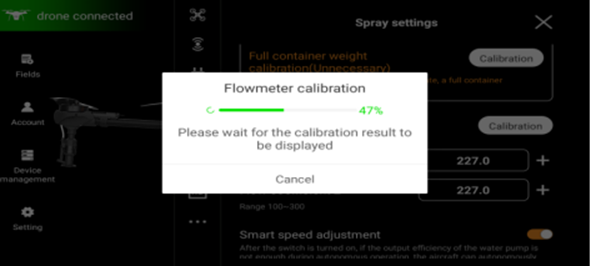
5. When the calibration progress exceeds 50%, the centrifugal nozzle being calibrated will stop draining, and the next centrifugal nozzle will continue to calibrate the flow rate.
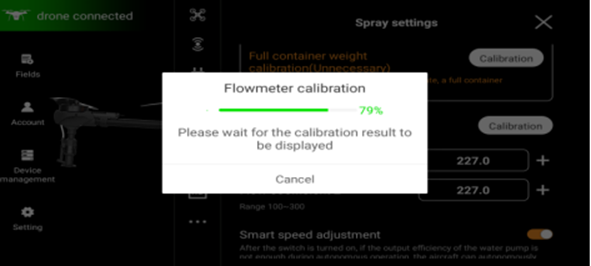
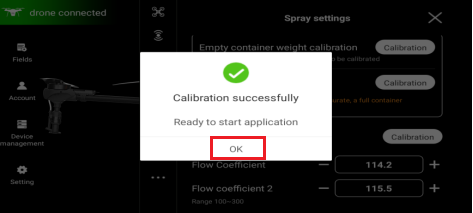
6. When the calibration progress is 100% and the calibration is successful, all centrifugal nozzles of the drone stop draining water. Click the function option "OK" to complete the calibration.