Agricultural Drone Instruction Manual
IMU and Magnetometer Calibration
Version 1.0

1. Place the drone horizontally on a spacious, relatively flat, and hard surface, ensuring all arms are fully folded.
2. First, turn on the remote control, then power on the drone. Enter the Haida Drone APP homepage and wait for the drone to connect to the remote control and complete the startup self-check
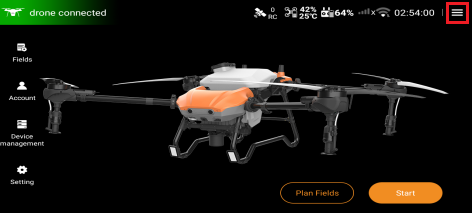
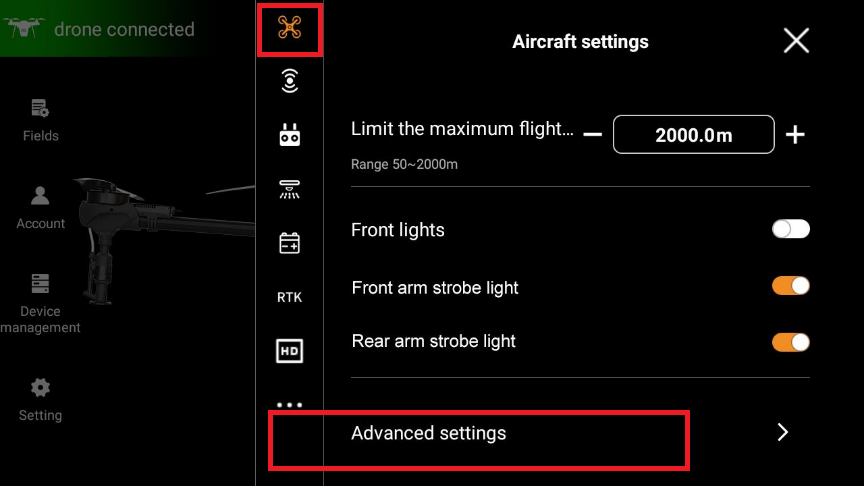
3. On the main remote control interface, click the hamburger menu in the top right corner, find the “Aircraft settings” interface, and click the “Advanced settings” option to enter the next level.
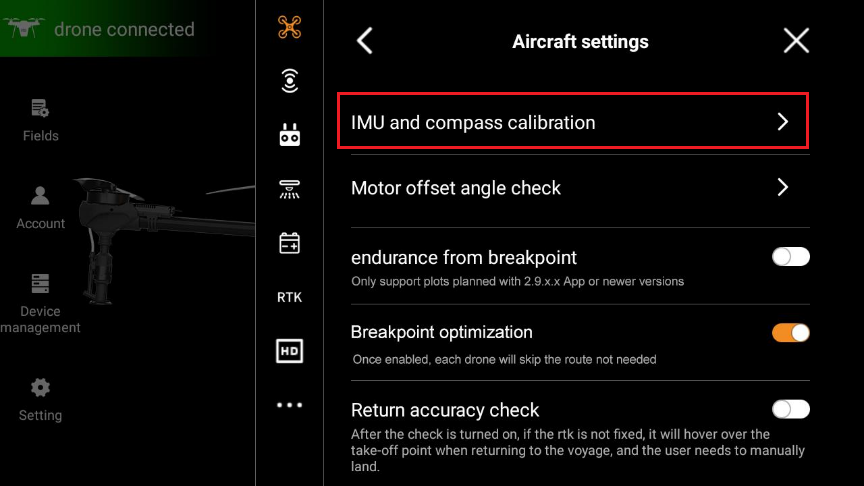
4. In the "Aircraft settings" interface, find the "IMU and compass calibration" function option and click to enter the next level.
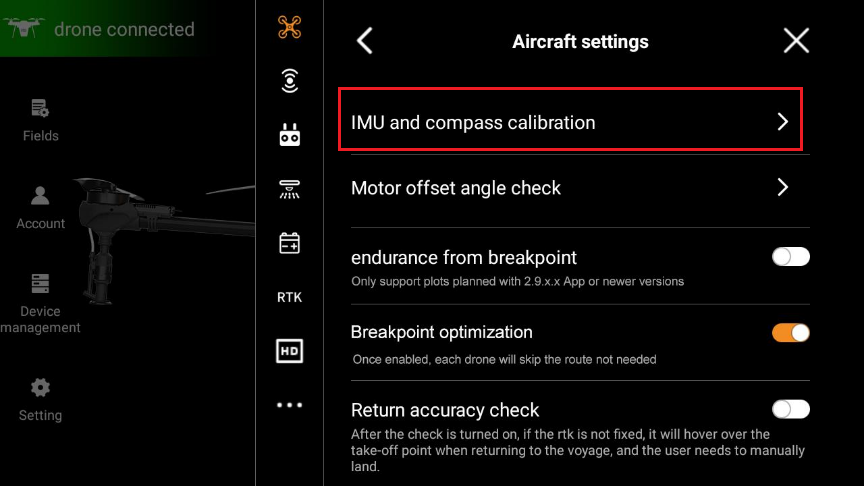
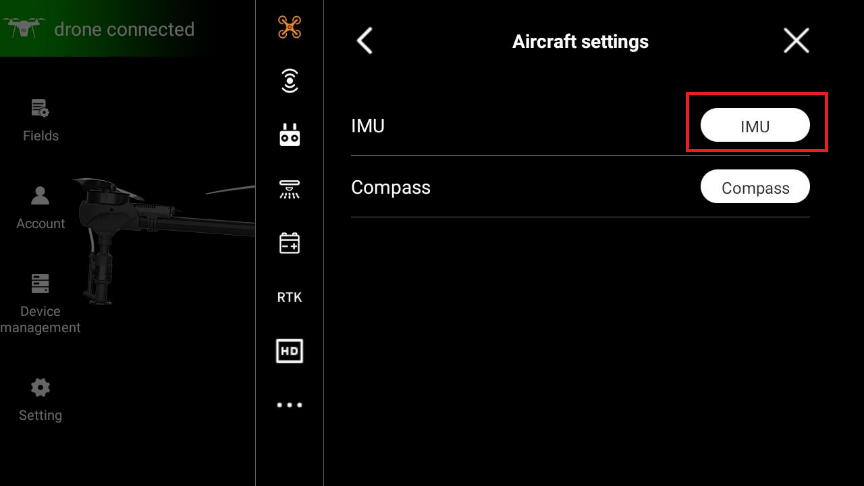
5. In this interface, click the “IMU” option to enter the IMU calibration interface.
6. Keep the airframe stationary and click the “Start calibration” option.
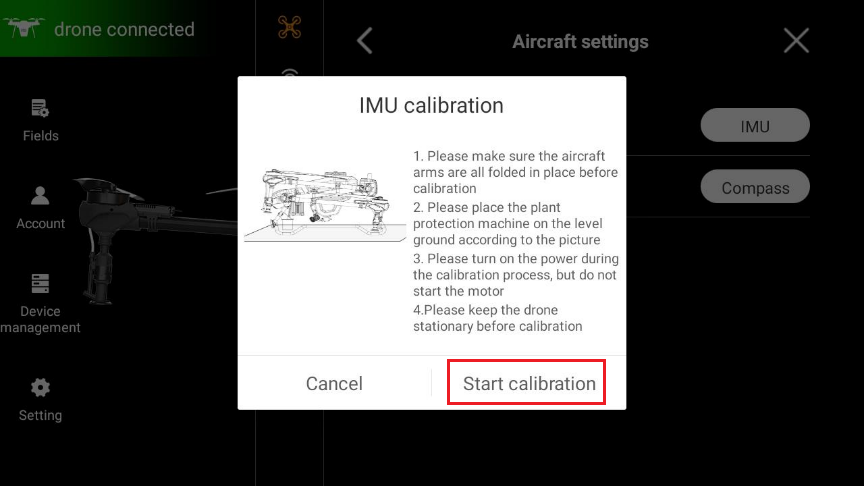
7. After starting calibration, the remote control interface will show a calibration progress bar entering automatic calibration state.
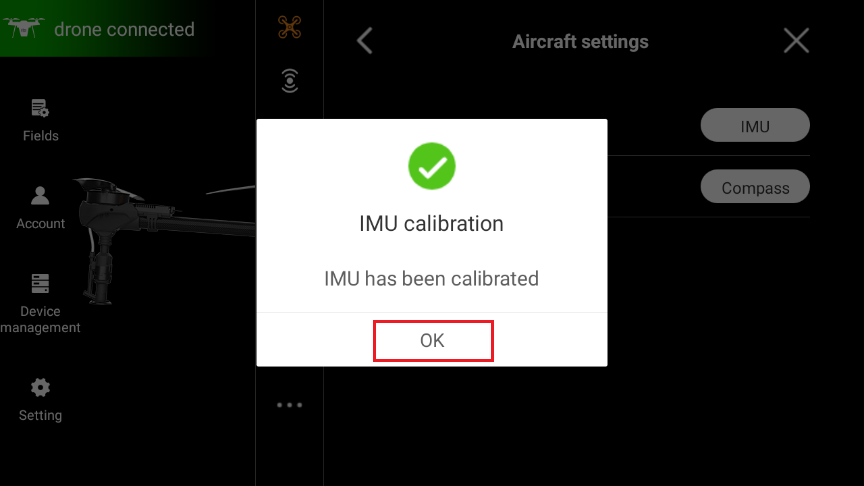
8. When the calibration progress reaches 100%, the remote control will prompt that calibration is complete. Click the “OK” option to complete the IMU calibration.
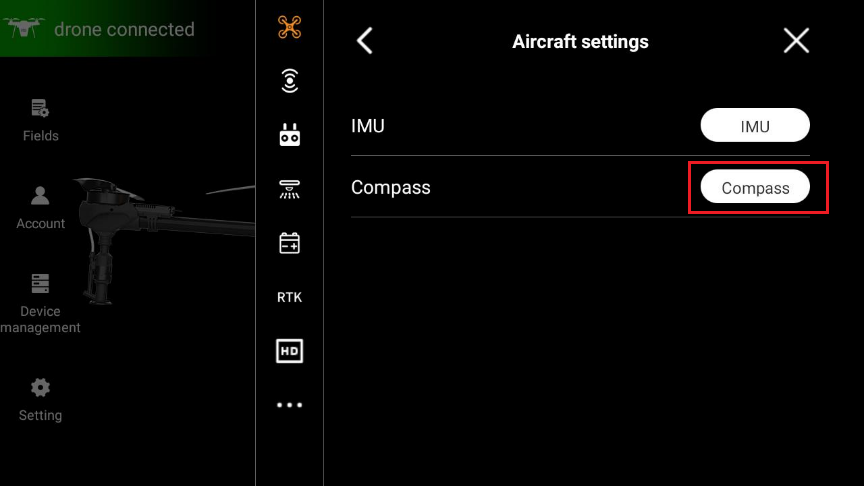
9. In the “Aircraft settings” interface, find the “IMU and compass Calibration” option and click to enter the next level.
10. In this interface, click the “Compass” option to enter the magnetometer calibration interface.
11. Place the drone horizontally on a flat, solid surface in an open area, ensuring all drone arms are fully extended and the joint locks are securely fastened.
12. Click the “Start calibration” option, lift the drone about 1 meter off the ground (requires two people to operate), and rotate the drone horizontally more than 3 full revolutions (during magnetometer calibration, please stay away from metal objects, strong electrical fields, and magnetic objects).
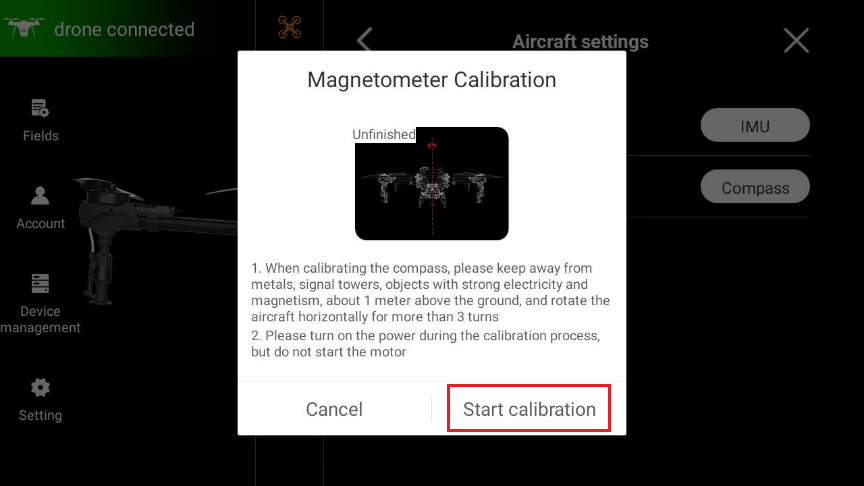
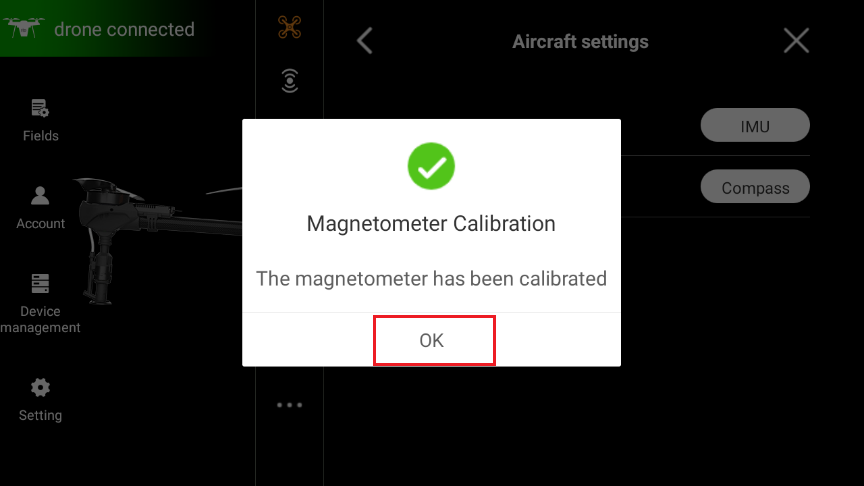
13. When the calibration progress reaches 100%, the remote control will prompt that calibration is complete. Click the “OK” option to complete the magnetometer calibration.