Agricultural Drone Instruction Manual
Joystick and Paddle Calibration
Version 1.0

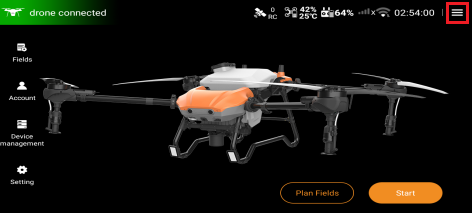
1. Enter the home page of Huida Drone APP, click the hamburger menu in the upper right corner to enter the next level.
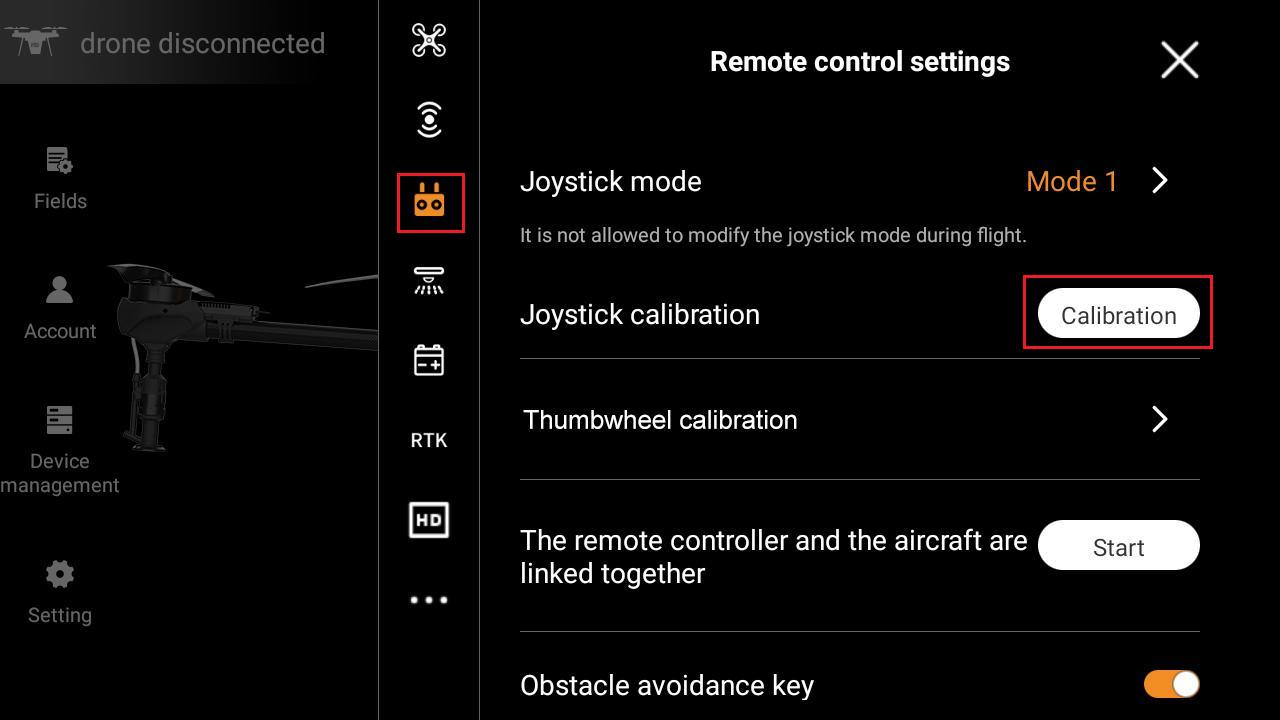
2. In the "Remote control settings" interface, click the "Calibration" function option to enter the calibration interface.
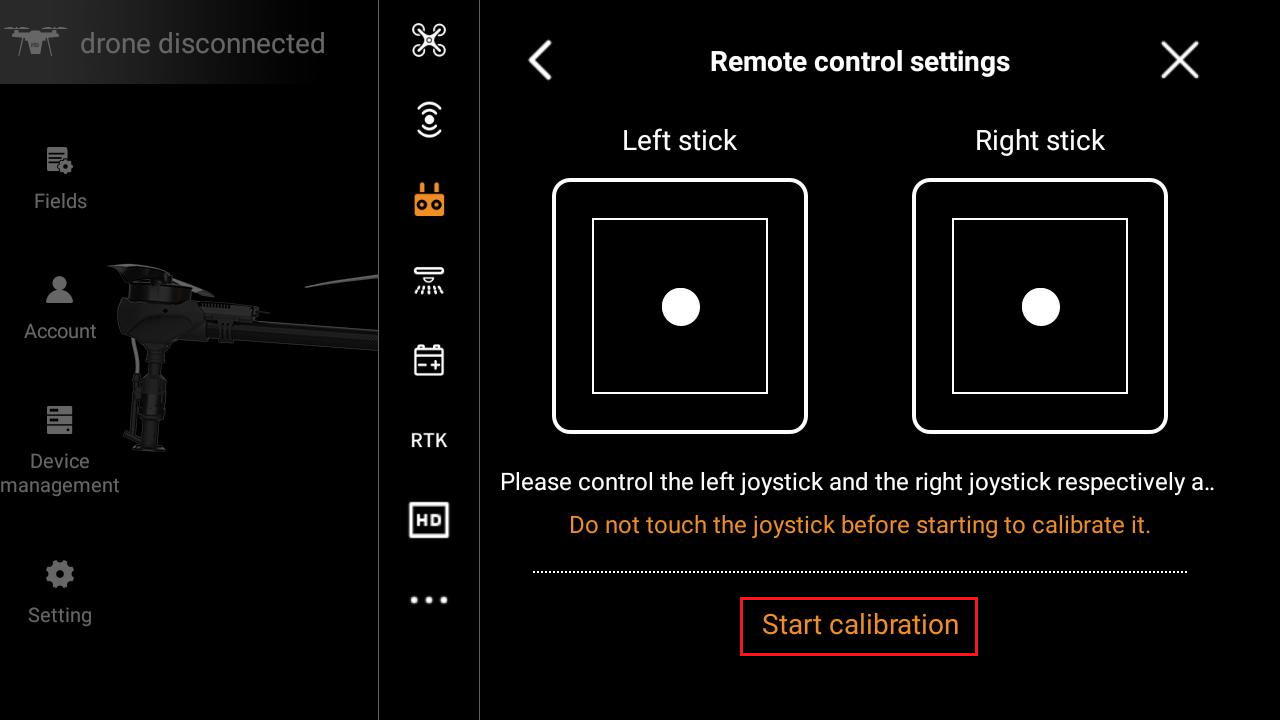
3. In this interface, you need to click the function option "Start calibration" first to prepare for starting.
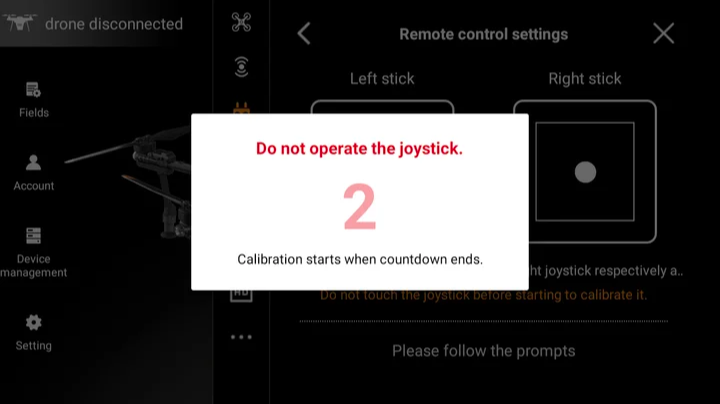
4. At this time, a pop-up window will appear on the interface. After 5 seconds of countdown, calibration will start. Please do not operate the remote control during this period.
5. Follow the instructions above and turn the left and right joysticks in circles to fill the square ring.
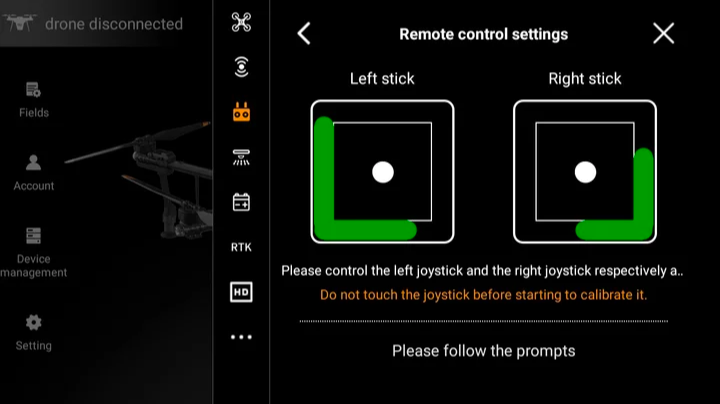
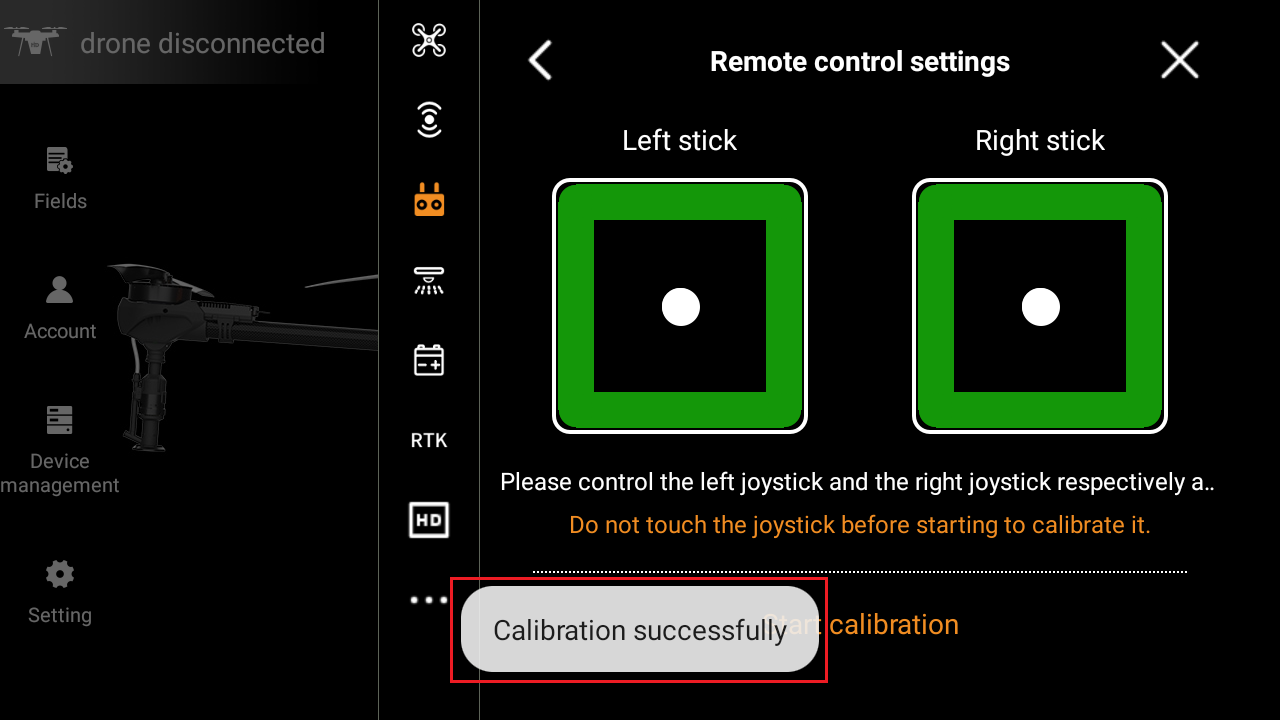
6. When the green operation track of the left and right joysticks fills the square rings, the lower part of the remote control screen will prompt "Calibration successfully".
7. Enter the home page of Huida Drone APP, click the hamburger menu in the upper right corner to enter the next level.
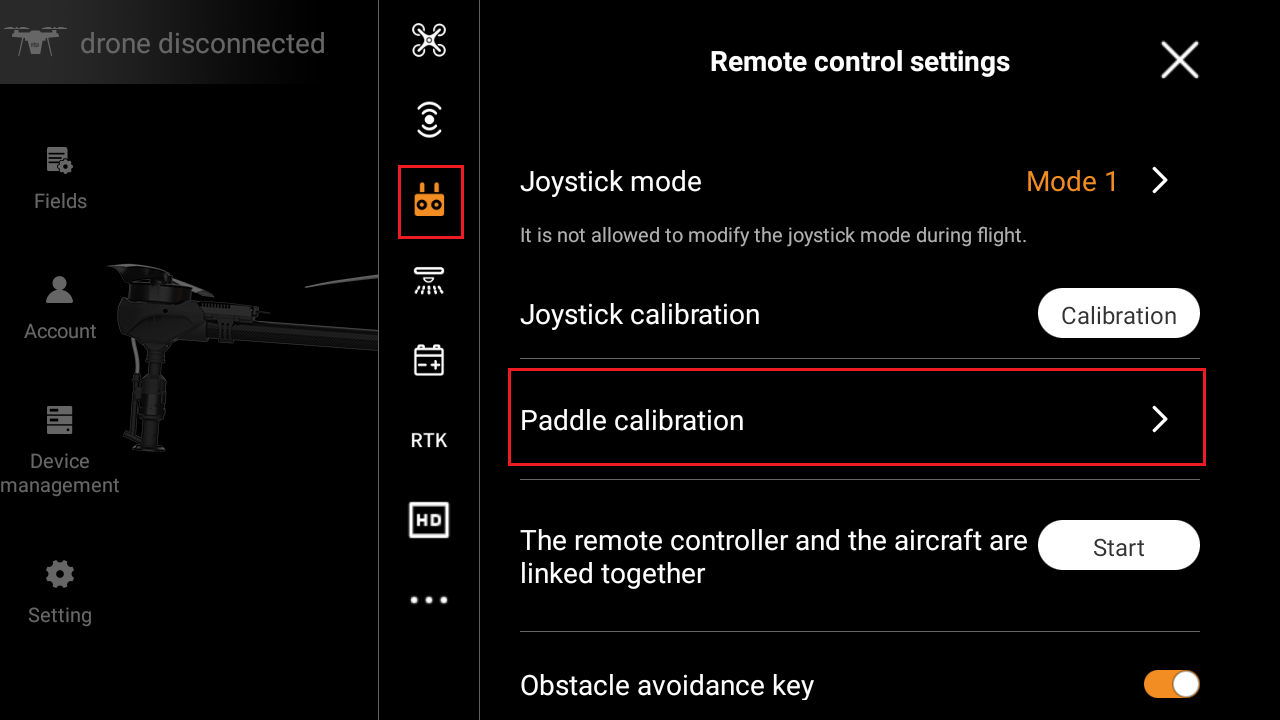
8. In the "Remote control settings" interface, click the "Paddle calibration" function option to enter the next level.
9. Click the "Calibration" function option next to the left paddle calibration to enter the calibration interface.
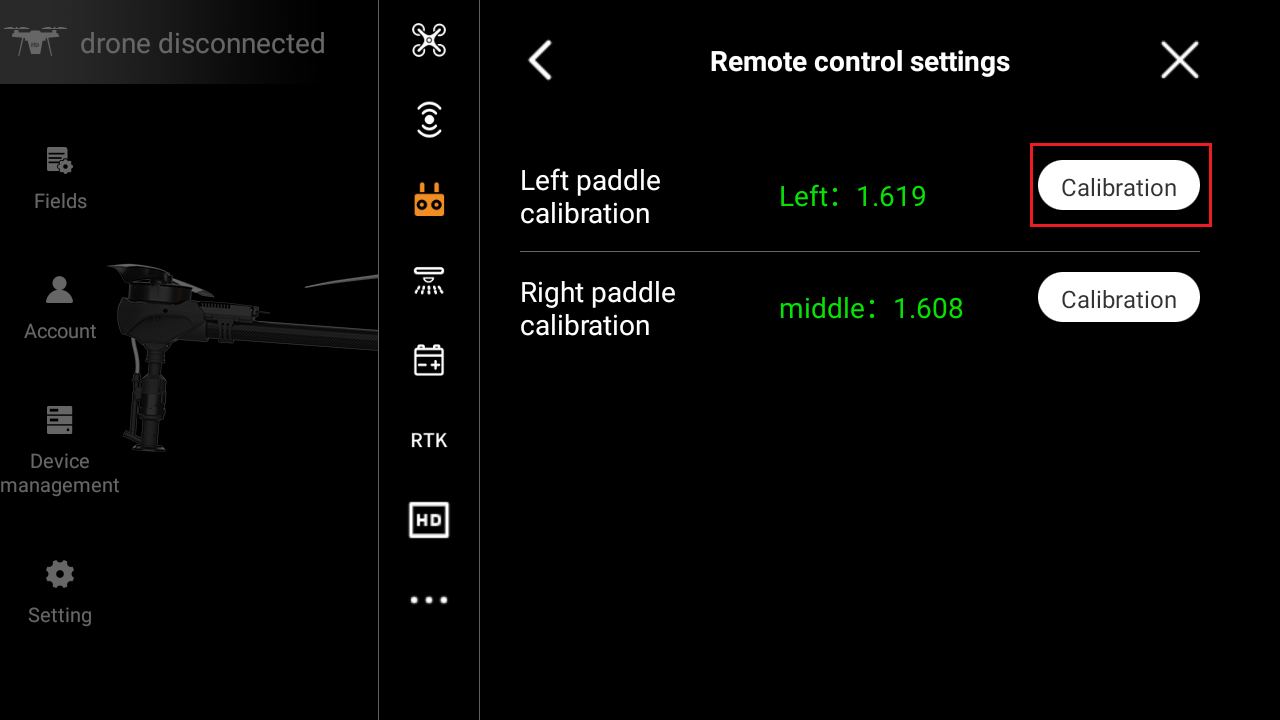
10. Click the "Start calibration" function option in the pop-up interface.
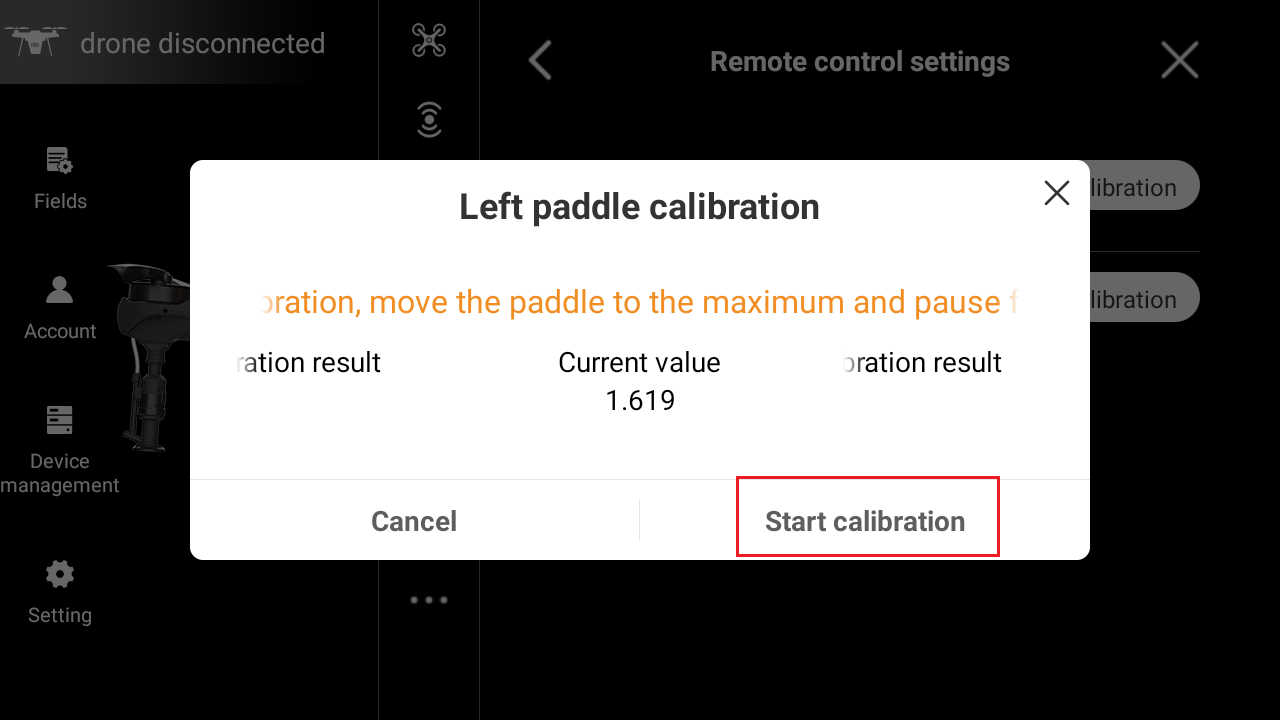
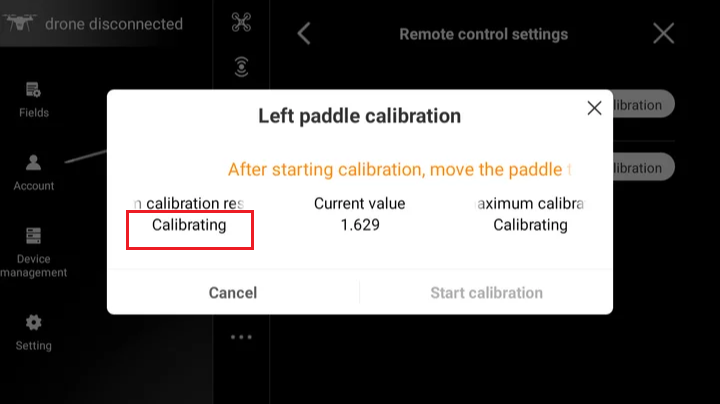
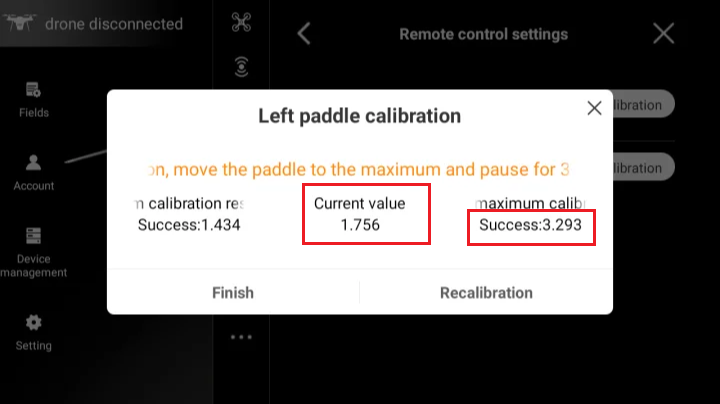
11. The word "Calibrating" will be displayed below the "Left maximum calibration result".
12. At this time, turn the left paddle to the far left and wait for more than 3 seconds. Below "Left maximum calibration result", it will prompt "Success" and display a set of values.
In this state, the value of the left paddle at the most left state is calibrated.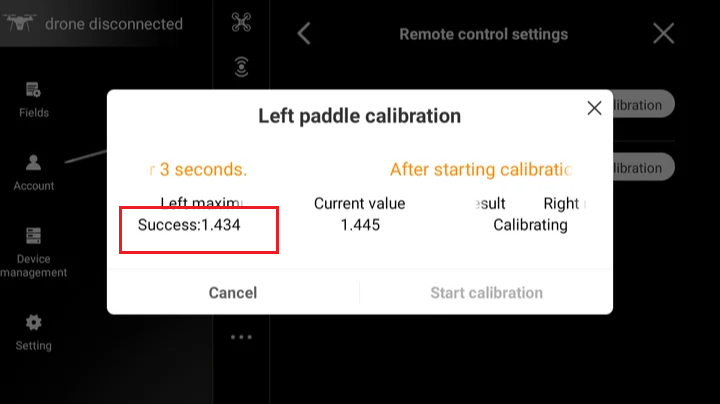
13. Then the word "Calibrating" will be displayed below "Right maximum calibration result".
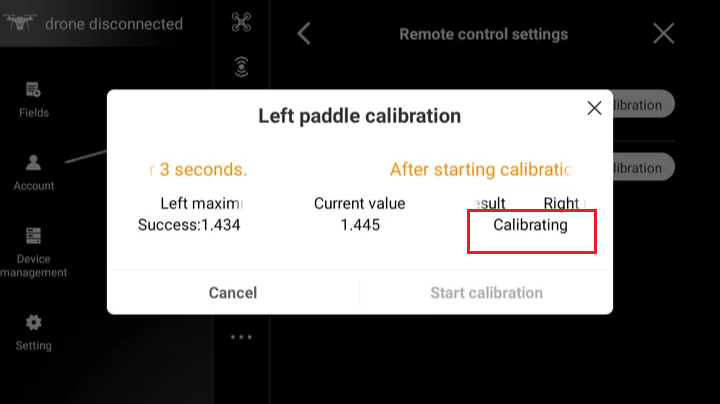
14. At this time, turn the left paddle to the far right and wait for more than 3 seconds. Below "Right maximum calibration result", it will prompt success and display a set of values.
After the maximum calibration result value of both sides is completed, a set of values will be automatically calculated below "Current value". At this time, the left paddle calibration is complete.
15. The right paddle calibration can be operated according to the left paddle calibration process.